
Screenshots
About Respiratory System Anatomy
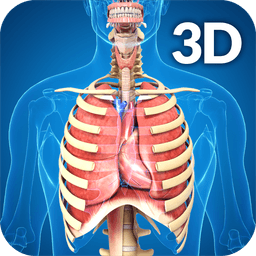
Learn respiratory system anatomy with an interactive 3D model that brings the lungs, airways, and related structures to life. Respiratory System Anatomy lets you rotate, zoom, and pan around a highly detailed anatomical model to explore how the respiratory system works from every angle.
Students and healthcare professionals can isolate specific structures, toggle visibility, and switch to X-ray mode to see internal details. Real-time animations show airflow and breathing mechanics, while audio pronunciation guides help you master anatomical terminology. A search function makes it easy to find any part by name, and an info panel provides context about each structure you select.
The app includes both male and female models, so you can compare anatomical variations. Special attention is given to the alveoli—the tiny air sacs where gas exchange occurs—with highly detailed cross-sections. An asthmatic airway comparison model helps illustrate how respiratory conditions affect structure and function.
Mark up the model with drawing tools to highlight key features, then save and share your annotated screenshots for study or teaching. Clean, intuitive navigation means you'll spend less time learning the interface and more time mastering anatomy.
Whether you're preparing for exams, teaching, or simply curious about how you breathe, this app provides the visual detail and interactive depth that makes anatomy stick. Respiratory System Anatomy is designed for medical and nursing students, educators, healthcare workers, and anyone serious about understanding respiratory physiology.
Pros & Cons
Pros
- Rotate, zoom, and pan a detailed 3D anatomical model from every angle
- Toggle structure visibility and use X-ray mode to see internal details
- Real-time animations demonstrate airflow and breathing mechanics clearly
- Audio pronunciation guides help you learn anatomical terminology accurately
- Compare male and female anatomical variations and asthmatic airway models
Cons
- Requires active internet connection to access animations and audio features
- No mention of offline functionality for studying without connectivity
- Drawing and annotation tools may have a learning curve for new users
- Limited to Android; no iOS or desktop version available
Related Apps

African Grey Parrot Sounds
AKAD Tech
African Grey Parrot Sounds — authentic recordings of Congo grey and Timneh parrots

Educate Magis
Educate Magis
Connect with Jesuit educators worldwide—share insights, access global stories, and collaborate internationally.

PSeInt
Pseudocode programming editor for beginners to learn coding logic and algorithms.

Tracker
Physics video analysis and modeling tool for educators and students — track motion, analyze data, run simulations.

CmapTools
Concept mapping software to visualize ideas, connect concepts, and collaborate in real time with multimedia support.

CADe SIMU
Circuit simulation for electrical engineering students — design and test electrical schemas with CADe SIMU.
Latest Articles

Best AI admin task automation apps for desktop in 2026 (we tested 7)
Jul 11, 2026

Best AI coding tutor apps for desktop in 2026 (we tested 7)
Jul 11, 2026
Best apps for AI red teaming on desktop in 2026 (free and paid)
Jul 11, 2026

Best apps for the *arr media stack on desktop in 2026 (we tested 7)
Jul 11, 2026
Best apps for benchmarking local LLMs on desktop in 2026 (free and paid)
Jul 11, 2026